Introduction
This manual describes how operators will be able to interact with Agile Factory.
Operator Interface (HMI)
The operator interface or HMI (Human Machine Interface) is a monitor/tablet that allows the operator to interact with Agile Factory.
Each HMI installed on a station allows information to be collected from the station and thus to feed the system.
The use of an HMI removes the need to:
- read and display paper information regarding production (bills of materials, diagrams, etc.)
- provide information related to what was delivered at the end of the work shift and notify managers of this information
- add or read notes on current production
The HMI shows everything that is needed for production, especially:
- production information (order, operation, requested quantities, etc.)
- documents that will be used during processing
Additionally, the operator will be able to inform managers of any possible problems.
Accessing the HMI
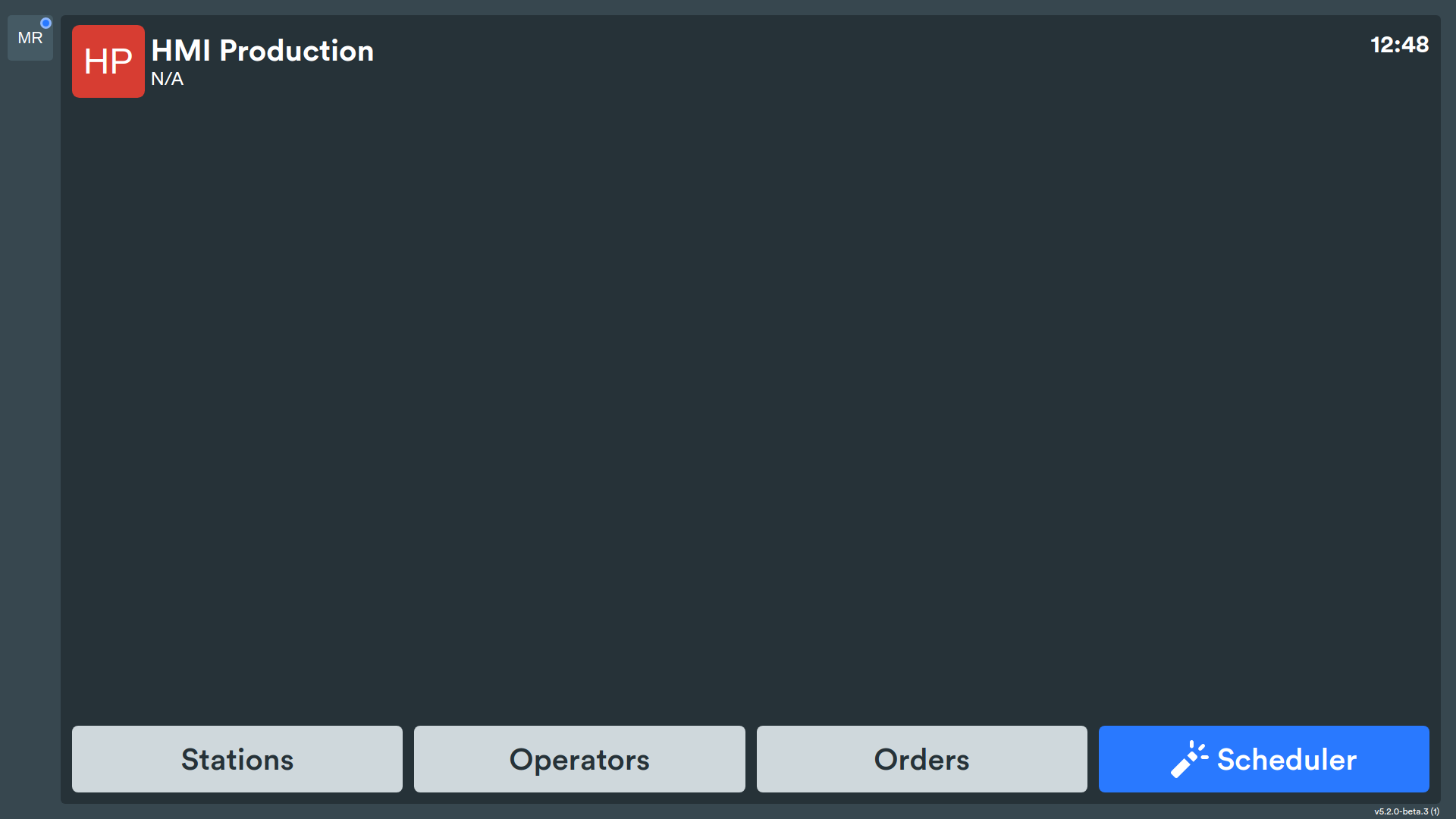
Each operator interfacing with the HMI will see a screen containing the following information:
- HMI name
- current time
- functional buttons to access the list of production operations:
- Stations
- Operators
- Orders
- Scheduler✨
the set of functional buttons can be customized based on customer needs, it is possible to leave only one, the scheduler button is available only when the dynamic scheduler is activated.
Using the HMI
The HMI is equipped with a touchscreen that makes it easy and quick to use through three simple actions:
- the operator can open menus and documents by touching the appropriate commands on the screen
- by placing two fingers on the screen and simulating the respective movements, it is possible to enlarge or reduce the screen
- enter data by pressing on the specific dedicated field so that the keyboard appears on the screen
The operator will thus be able to record the start of their work session, the relevant information for carrying out the operation, the end of the work session. If the operation to be performed involves multiple operators, it is sufficient for the team leader to register and indicate the team members through the appropriate menu present before the start of the session.
The term work session indicates the time frame dedicated to performing operations on the same machine or station. Therefore, if during your work shift you need to take charge of a production order that requires the use of another station or machinery, it is necessary to end or exit the current session and start a new one. To resume an interrupted session, simply press the icon of your interest on the list of active sessions.
Each HMI also shows only the stations and machinery to which it is connected and therefore the operators and production orders assigned to them. Therefore, before starting, verify that you are using the correct HMI to carry out your duties.